Telekinesis and active ragdolls in the browser: how UNKING's physics works
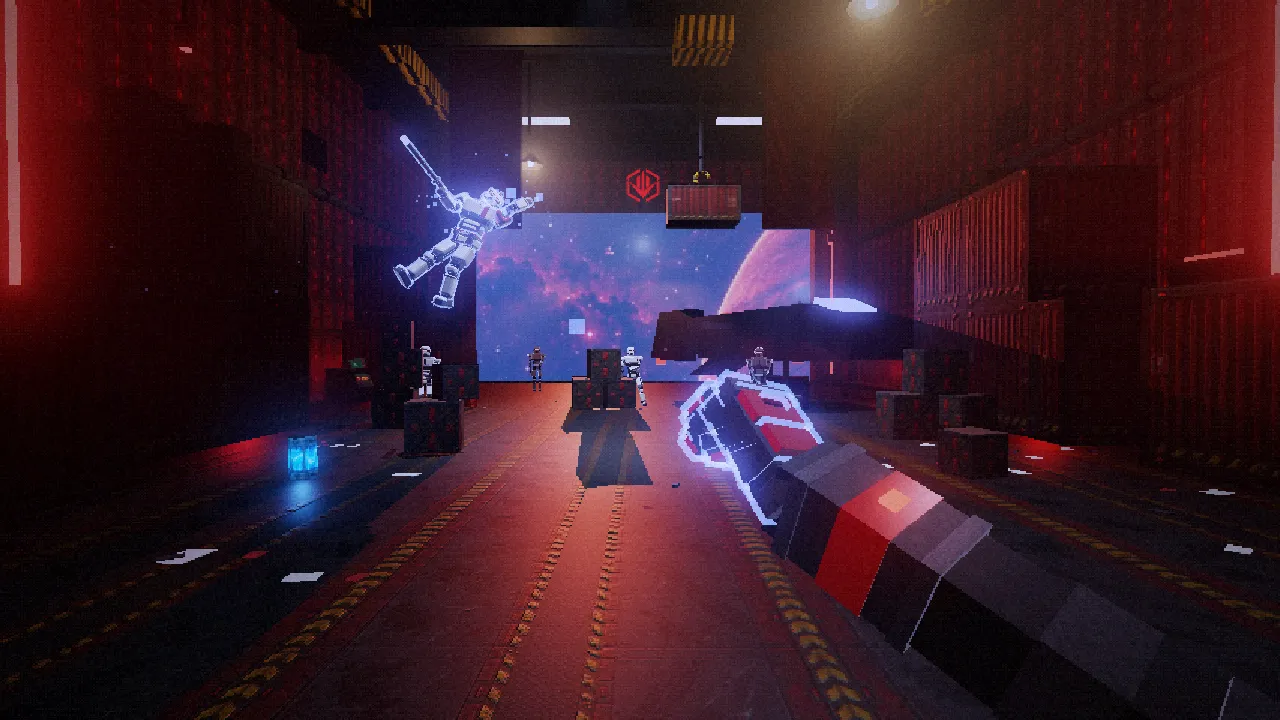
UNKING is a free first-person game that runs in a web page. You have no weapons, only telekinesis: grab soldiers, cars and chunks of wall, swing them around and throw them. None of it is animated — every enemy is a physical body with muscles. This is how it's built and why it feels heavy, with the real numbers from the game, on PC and on phones.
The stack: three.js for pixels, Rapier for physics
The game is a static site: three.js draws the world, and Rapier — a physics engine written in Rust and compiled to WebAssembly — simulates it. Rapier's wasm build is about 3 MB (around 850 KB compressed) and is streamed and compiled while the title screen is up, so the player never waits for it. Everything else is TypeScript bundled by Vite.
Physics runs on a fixed 120 Hz step with 5 solver iterations, completely separate from the frame rate. The renderer interpolates between the last two physics states, so a 144 Hz monitor and a 60 Hz phone see the same simulation. If a frame takes too long, the game catches up with a limited number of extra steps and then lets the world slow down slightly instead of spiralling into a frame-rate collapse.
// one frame: run as many fixed steps as the elapsed time owes
acc += dt;
let steps = 0;
while (acc >= FIXED_DT && steps < MAX_SUBSTEPS) {
  world.step(() => {
    telekinesis.prePhysics(FIXED_DT);   // the grab spring
    for (const e of enemies) e.ragdoll.prePhysics(FIXED_DT); // muscles
  });
  acc -= FIXED_DT;
  steps++;
}
if (steps >= MAX_SUBSTEPS) acc = 0;     // too far behind: let it go
syncVisuals(acc / FIXED_DT);            // interpolate meshes between steps
What an active ragdoll is
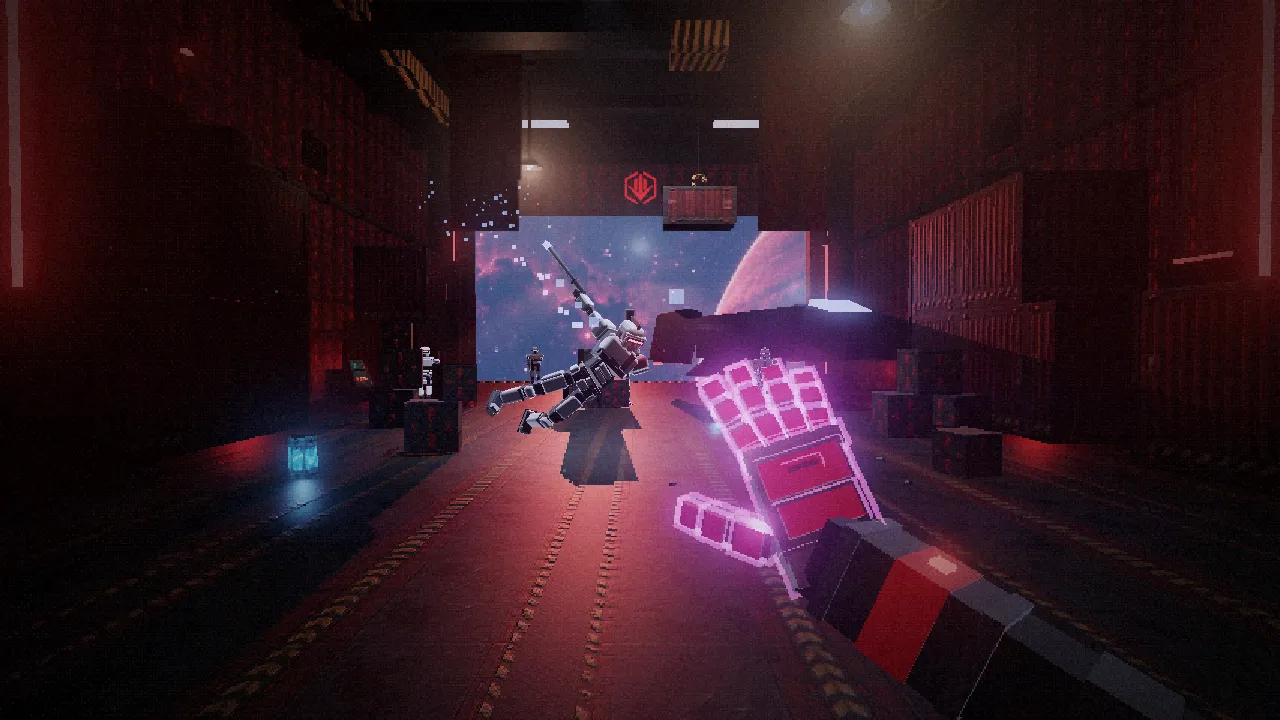
A classic ragdoll is a corpse: rigid bodies joined together that collapse the moment they're switched on. An active ragdoll is the same chain of bodies, but with motors in every joint that try to hold a pose. While the motors are strong, the body stands, aims and walks; hit it and it reacts with its real mass and inertia. Weaken the motors and it staggers. Switch them off and it's a ragdoll again.
Each enemy in UNKING is 14 rigid bodies and 13 joints: pelvis, abdomen, chest, head, and on each side an upper arm, forearm, thigh, shin and foot. The knees and elbows are hinges with Rapier's own limits. The shoulders, hips, neck and spine are ball joints, and their cone limits are applied softly as a torque, because hard limits make a body shudder when it's crushed against a wall. The pelvis, chest and head use continuous collision detection, so a body flung at 30 m/s can't tunnel through a thin wall.
Muscles are PD controllers
Every frame the animation layer says what local rotation each joint wants (a stance, a step, an aiming pose). A proportional–derivative controller turns the difference between the wanted rotation and the actual one into a torque:
// rotation from where the limb is to where it should be, as axis * angle
const err = quatToRotVec(parent.q * target * inverse(child.q));
const wRel = child.angularVelocity - parent.angularVelocity;
let torque = err * kp * strength - wRel * kd;      // kp = 520, kd = 38

// as an impulse, clamped: a muscle can't be stronger than a muscle
let imp = torque * inertia * dt;
if (length(imp) > MAX_IMPULSE) imp = normalize(imp) * MAX_IMPULSE;
child.applyTorqueImpulse(imp);
parent.applyTorqueImpulse(-imp);   // equal and opposite: no free energy
Two details matter more than the gains. The impulse is applied equal and opposite to the parent, so the muscles can't push the body around by themselves — a falling soldier can't swim through the air. And the impulse is clamped, so a fast hit always overpowers the muscles, which is exactly what makes impacts readable.
Standing up is a separate controller
Joint muscles alone keep the body's shape, not its balance. On top of them, an upright controller twists the pelvis and chest back toward vertical (a much stiffer PD: 1100 / 140), and a spring under the pelvis holds it at standing height (0.97 m), with a short ray cast down to find the floor. When something knocks the body past 48° of tilt, or an impulse above the knockdown threshold arrives, those helpers let go and the state machine takes over: ACTIVE → STAGGER → DOWN → RECOVERING → ACTIVE, plus GRABBED, AIRBORNE, CRAWL, KNEEL and DEAD. A knocked-down soldier really gets back up with his muscles, so a second throw while he's rising puts him straight back on the floor.
Telekinesis is a spring, never a teleport
The easiest way to "hold" an object is to make it kinematic and move it with the cursor. It looks dead: a crate and a truck weigh the same, and anything you swing them into is hit by an unstoppable object. In UNKING the grab is a velocity spring applied at the exact point you grabbed, every physics step:
// how fast the grabbed point should move toward the target
let desired = (target - anchor) * 11;          // pull gain, 1/s
desired = clampLength(desired, 26);            // m/s

// close a part of the velocity gap this step; heavy things close less of it
const k = Math.min(0.88, 16 * dt / Math.sqrt(Math.max(1, mass / 10)));
const impulse = (desired - velocityAt(anchor)) * mass * k;
body.applyImpulseAtPoint(impulse, anchor);
body.applyImpulse(up * mass * g * dt);          // cancel gravity on props
That single line with the square root is where the "weight" comes from. A 10 kg crate follows the cursor almost exactly; a car lags and swings, and when you yank it, it overshoots. Grabbing off-centre makes things rotate naturally, because the impulse is applied at the anchor, not at the centre of mass: a soldier grabbed by the arm hangs from it. For ragdolls only 55% of gravity is cancelled, so a held soldier's legs still dangle and kick — you can see you're holding a person, not a mannequin.
Throwing: velocity from the hand, aim from the screen
Releasing the button throws the object with the velocity the hand had over the last 130 ms, weighted toward the newest samples, multiplied by 2.3 and clamped between 13 and 32 m/s. The lower bound matters: a throw is never weak. Even a lazy toss leaves the hand fast enough to hurt; if the hand was almost still, the object simply drops.
Direction comes from two sources. A quick flick of the mouse (or a swipe of the finger on a phone) is read in screen space: the game looks a little ahead of where the cursor was heading, casts a ray there and aims at what it hits, lifting the aim to compensate for gravity over the distance. A slow push toward the screen uses the 3D velocity of the held object instead.
Aim assist that doesn't play for you
Players read almost any throw that misses an enemy by a couple of degrees as a bug. So after the direction is computed, the game looks for an enemy within 12° of the throw line and bends 65% of the way toward him. The narrow cone leaves throws at walls and barrels alone, and the partial correction keeps the feeling that you hit him, not the game.
For precise shots there's a wind-up: drag what you hold into the top-right (or bottom-left) corner of the screen and it snaps in over your shoulder. Sweep the cursor over an enemy to lock on — time slows to 0.4× for a moment — and let go. The aimed throw leads the target's movement and arcs over the drop.
Damage comes from physics, not hitboxes
Nothing in the game has a "throw damage" number. Damage is computed from how hard each body part was hit — its change in velocity during a contact, not the raw impulse:
damage = 0.55 * max(0, dv - 6.5)^2 * partMultiplier
// head x2, torso x1, limbs x0.5
The square makes it feel right: a 2 m fall (about 6 m/s) is walked off, while a body thrown into a wall at 20 m/s doesn't get up, and the gap between a good throw and a great one is obvious. Limbs have their own health, so a hard enough hit on a leg breaks it and the soldier crawls. A living soldier hit above 17 m/s on a limb can lose it, and a dead one comes apart under a big enough impact. Because it's all one rule, every combination works by itself: a crate, a car, a body thrown at another body, a fall from a balcony.
Game feel: the 100 ms after a hit
Physics makes a hit believable. What makes it feel powerful is what the game does around it — a set of small tricks, each almost invisible on its own.
Hitstop
On a big hit the simulation freezes for 40–100 ms. A throat grab is 60 ms, a broken neck 90 ms, slamming a held object into the floor 50–100 ms depending on force. Two rules: overlapping freezes don't add up (the longer one wins, otherwise a massacre starts to stutter), and in slow motion a freeze is half as long, because the moment is already stretched.
Camera shake from "trauma"
Every event adds trauma (0–1) to the camera, which decays at 1.4 per second. The shake itself is proportional to trauma squared: small hits barely move the screen, big ones jolt it. It's mostly rotation, not position — moving the camera reads as nausea, rotating it reads as impact — and it uses smooth noise instead of random jitter, so the camera sways instead of rattling. A wall impact becomes shake as min(0.5, impulse / 320), fading with distance.
Kick and zoom punch
A close hit doesn't just shake the screen, it knocks the head away from the source: a damped spring (stiffness 240, damping 10) with one overshoot and a stop. A throat grab adds a zoom punch — the field of view snaps 5° narrower and eases back. One important detail: aiming uses a separate camera without shake or kick, otherwise the shake would throw your throws off.
Slow motion on the moments that matter
Locking a wind-up onto a target: 0.4× for 0.9 s. A broken neck: 0.3× for 0.45 s. Sound turns muffled and colour washes out slightly. The player can also slow time on a button: the world eases down to 0.2× while the hand keeps its speed, and telekinesis turns into surgery.
The aftermath stays
Blood on floors and walls, explosion craters and bodies stay until the end of the fight. A couple of minutes in, the arena tells the story of what happened there, which motivates more than any score.
On a phone: the finger is the hand
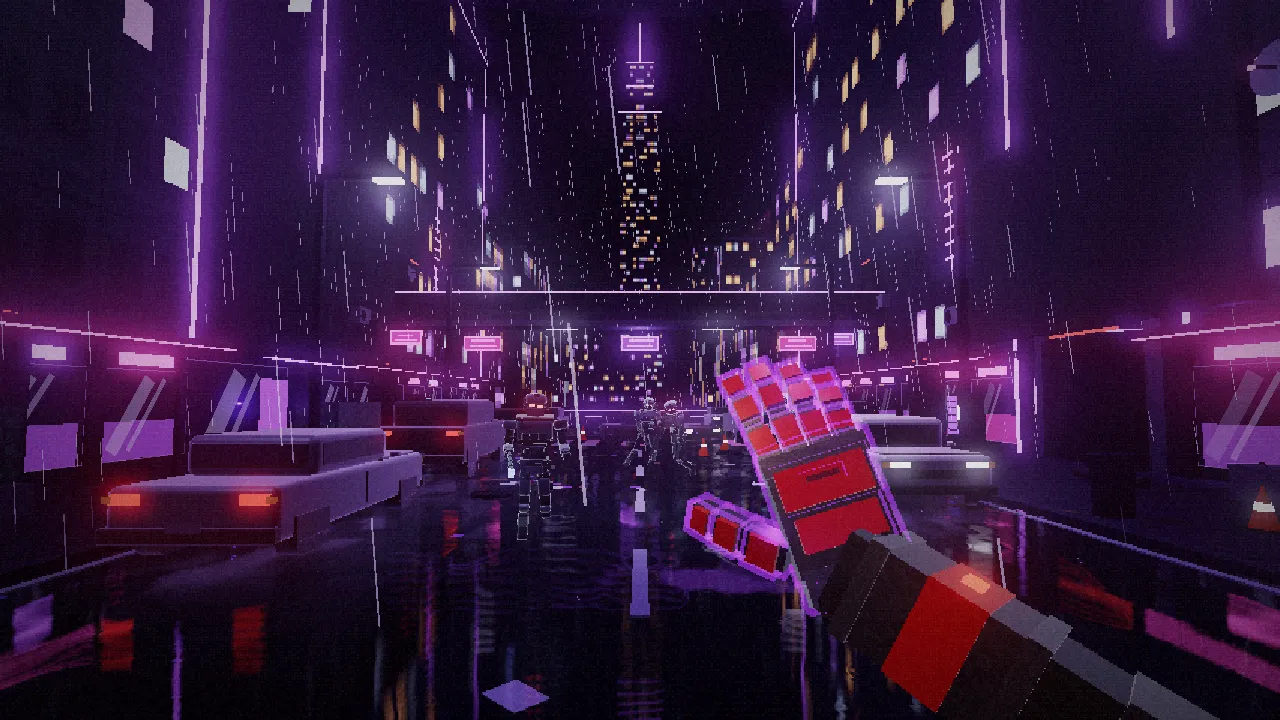
Most mobile shooters use two virtual joysticks, one to move and one to look. UNKING doesn't need them: each room's camera is fixed, the player doesn't walk (moving between rooms is automatic), and aiming was already a point on the screen — the mouse cursor. On a phone the finger simply takes its place:
- Touch an object to grab it with telekinesis.
- Drag and it follows with its weight: a car swings and lags.
- Swipe and let go to throw it with the speed of your finger.
- Drag it into a corner for the aimed throw: lock on, time slows, release.
A finger covers exactly what it touches, and on a small phone a soldier is about 30 pixels tall. So with a finger every "closest to the cursor" radius grows by about 20 px, the width of a fingertip. A fast swipe also carries the object further than the finger went, so a thumb can reach the whole screen from its half.
One button for the powers
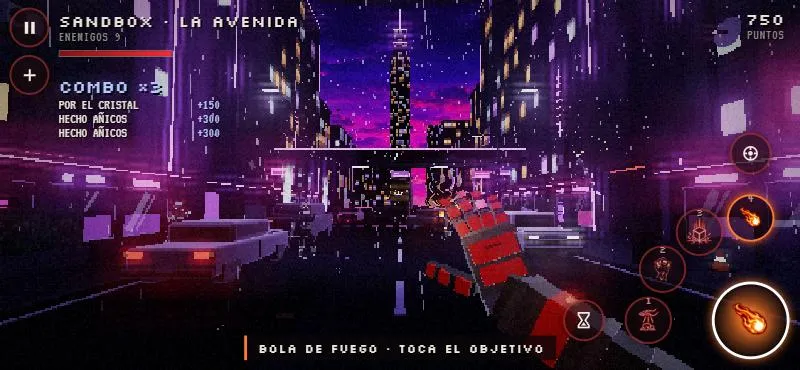
With a mouse, the left button is telekinesis and the right one is the chosen power: lightning, fireball, choke, drain, petrify and others. A phone has no right click, so the power lives on one large button in the bottom-right corner, POWER, and it adapts to the situation:
| Situation | What POWER does |
|---|---|
| Holding nothing | A tap arms it (it glows), and your next touch on the world casts the power there. Hold to charge, slide to aim. |
| Holding something with a finger | That's a combo: press POWER with another finger and the power acts on what you hold — set it on fire, charge it with lightning, slam it into the floor. |
| Powers with no target (REFLECT) | Active for as long as you hold POWER. |
Around POWER sit four quick slots: a tap picks a power and arms it. The ◎ button opens the wheel with every power, and time stops while you choose. A second finger, while the first holds something, works as a touchpad: up and down push the object away and pull it closer, sideways spins it. There's a left-handed mode that mirrors the buttons and the wind-up corners, adjustable button size, and a short vibration on grabs, throws and hits on Android.
Desktop physics on a phone
The physics step stays at 120 Hz on every device: the muscles, the grab spring and the throws were tuned for it, and halving it changes how everything feels. What changes on a phone is how much there is at once and how it's drawn. On load the game detects a phone, tablet or computer and picks a quality tier:
| Setting | Computer | Phone |
|---|---|---|
| Internal resolution | 480p | 240p (retro look: barely noticeable) |
| Per-pixel lights | 24 point + 2 spot | 8 + 2 (the strongest at each moment) |
| Shadows | sun + spots, every 2nd frame | sun only, 512 px, every 4th frame |
| Floor reflections | yes | no (the memory isn't even allocated) |
| Enemies at once | 10 | 6 |
| Particles and effects | 100% | 30% |
| Frame rate | uncapped | 60 fps max |
The 60 fps cap matters more than it seems: many phones have 120 Hz screens, and without it the game would draw twice as much as needed and burn twice the battery. If a phone still can't hold about 40 fps, the game steps quality down one notch at a time — fog, glow, shadows, lights, effects — and it doesn't mistake a screen locked to 30 Hz by power saving for slowness. Sounds are decoded at 22 kHz mono on phones, about a fifth of the desktop memory, because a mobile browser kills the tab if it uses too much.
What a mobile browser doesn't forgive
- Sound can't play until the first touch, and a touch only counts when the finger lifts. iOS also suspends audio after a phone call, so the game re-enables it on every gesture.
- Fullscreen and orientation. On Android the game goes fullscreen and locks landscape when a run starts. On iPhone that's only possible from "Add to Home Screen", which the game suggests once. Turn the phone upright and the run pauses with "ROTATE YOUR PHONE".
- The back gesture. On Android a swipe from the screen edge used to leave the page mid-fight. Now it pauses the game.
- Losing the WebGL context. Low on memory, the system can take the GPU away from the tab. The game pauses and rebuilds what it needs when you come back.
- Accidental zoom. Two fingers on the screen are a game gesture, not a pinch to zoom the page.
Keeping 30 ragdolls cheap
A busy fight has up to 10 living enemies, a dozen bodies on the floor and dozens of loose props and pieces of rubble. Three things keep it inside the frame budget:
- Sleeping bodies are skipped. Rapier puts resting bodies to sleep. A body asleep before and after a step can't have moved, so its transform isn't read back from WebAssembly at all, and its mesh is placed once when it comes to rest.
- Corpses are baked. Once a dead body has lain still for 1.5 s, its 14 part meshes are merged into one mesh per material, so a dozen draw calls become two or three. The physics bodies stay; the moment an explosion or the player touches it, it's a ragdoll again.
- Feeling for the floor every other step. Standing ragdolls cast their ground ray every second physics step and follow the pelvis height in between. Over 17,500 steps of a busy fight the mean error was 0.1 mm.
On phones the game also caps how many bodies stay on the floor (4) and how long rubble lasts (4 s).
Vertical replays to share
After the best moments of a fight — the last enemy, several at once, an explosion, a long flight — UNKING plays a short cinematic replay in vertical 9:16. On a phone it's recorded at 720×1280, and the SHARE CLIP button opens the system share sheet: save it to the gallery or send it to Shorts, Reels, TikTok or a chat.
A checklist for your own physics game
- Use a fixed step and interpolate. Tuning anything against a variable time step is a waste of time.
- Move held objects with impulses toward a target, not by position. Scale by mass, even if only through a square root.
- Apply the force at the grab point and rotation comes for free.
- Take the throw from the hand's velocity over the last ~100–150 ms and give it a minimum speed.
- Aim assist: a narrow cone and a partial correction.
- Derive gameplay from the simulation. Damage from velocity change gave us hundreds of interactions we never had to script.
- Don't stack hitstops, shake by trauma squared, shake rotation — and aim from a camera without shake.
- Measure the wasm boundary. In JS physics code the slow part is often reading positions back, not the solver.
- Let things rest, and let the world remember what the player did in it.
Play UNKING free in your browser
No download, no account. Grab soldiers with telekinesis, throw cars, tear rooms apart — on PC with a mouse or on your phone with a finger.
Play now ›